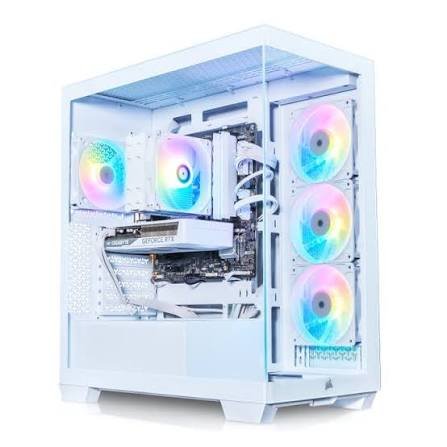
A basic configuration typically consists of a graphics card (GPU), a central processing unit (CPU), and some random access memory (RAM). You visit a list of components or a configurator and add a few upgrades to your “basic” PC. Shortly you will see, you have spent hundreds of euros which is more than expected.
The good news is that trimming that down does not necessarily mean having to compromise. Mostly it will be a matter of timing and a lot of it comes down to how and when you buy it, not only what you buy. Here is a list with 7 tricks to bring the cost of your next PC down in France without compromising on the important stuff.
1. Set Your Budget by Component, Not by Total
Before purchasing components, decide roughly how much you plan on spending on performance based hardware (such as a GPU and CPU) and elsewhere. It will greatly enhance your ability to buy other components later if you know how much you are willing to spend on performance based products and how much you have left over for other components.
If you need to lower the number, look at the secondary components first, like the case, rgb, extra fans, or less storage space. These are the things that won’t hurt performance as much if you save a little money on them. Also, locking in your GPU/CPU budget ensures that you don’t have the urge to upgrade due to the lack of ‘upgrade options’ presented to you in your build.
2. Compare Pre-Built vs. Custom Build Pricing
There is this common misconception that it is always cheaper to build your own pc rather than buy a factory built one but this is often not the case. It depends on which retailer you buy from, what you are looking to buy, and what spec your machine is. Oftentimes buying a pre-built machine with some parts can be cheaper than buying those parts separately if, say, a particular retailer is wanting to get rid of some older hardware. On the other hand, sometimes it can be cheaper to source your own hardware if you already have some things lying around from a previous build.
The only way to know which route wins is to price both before committing. Spend 15 minutes creating the perfect spec as a custom build, and compare it to the best-possible-pre-built system you can find. It’s possible that there’s a huge margin for error in either direction..
3. Time Your Purchase Around Major Sales
If your build can wait even a few weeks, timing matters more than almost anything else on this list. Black Friday and Cyber Monday remain the biggest markdown events of the year for PC hardware, but they’re not the only windows worth watching. Back-to-school season and the French seasonal sales periods (les soldes) also tend to bring meaningful discounts on components and full builds alike.
This is also where a Cybertek promo code can make a real difference. During sales windows codes can sometimes be stacked with the promotional pricing that is being offered, essentially putting two discounts together. It’s good to check before you buy rather than after as some codes are only available for a short time during these windows.
4. Keep an Eye Out for Price Drops After New Hardware Launches
Whenever there’s a new generation of GPUs or CPUs released, the older generation will see prices fall shortly after, be it days or weeks later. This is a great time to buy if you don’t need the absolute latest chipset, you can get performance with the latest hardware at a greatly reduced cost.
Keep an eye on hardware announcement dates for the manufacturers you’re interested in. Even a “last-gen” GPU can still comfortably handle most games at high settings, and the savings versus the newest release can be substantial, often more than any single code would get you.
5. Use Click and Collect to Cut Delivery Costs
Shipping charges can add up, especially for something as big/heavy as a full tower PC or large monitor. If your preferred retailer has a click and collect option at a physical store near you, it’s well worth utilizing in order to avoid paying for shipping altogether.
This is a small saving on its own, but it stacks with everything else on this list, and it also means you get your build faster than waiting on a delivery, which is useful if you’re assembling on a deadline, like before a big game release.
6. Buy Components Together, Not One at a Time
It’s tempting to buy pieces as you save up, a GPU this month, a motherboard next month, but ordering everything together in a single purchase is usually the better move financially. Bundling reduces the number of separate shipping charges you pay, and it also makes it easier to hit the minimum spend threshold that many codes and site-wide sales require.
If you’re already committed to timing your purchase around a sale, pairing that with a single order tends to produce the best overall price for the full build.
7. Stack a Promo Code With an Ongoing Sale
This is really the combination of everything above. Once you’ve settled on your components, priced pre-built, and picked a good window to buy, the last step is checking for an extra layer of savings on top. Before checking out, it’s worth checking for an active Cybertek promo code on Coupondopa FR. Codes here are sometimes stackable with whatever sale is already running, which can trim a bit more off an already discounted order.
One thing worth checking before you get to checkout: exclusion terms. Some codes don’t apply to custom-configured builds, or they exclude certain categories like monitors or peripherals. So make sure to read the terms before adding items in your cart to avoid the hassle for later.
Conclusion
None of these seven tips alone are going to cut your build’s costs in half, but taken together they can often result in saving enough money to be able to purchase another part higher in the spec. Instead of basing your budget on the total, work out what the machine is going to cost you per part. Consider buying a pre-built against a custom build before settling on a provider and remember to make any purchase during the sale period so that you can secure a good price. Put together these tips with a click and collect option, an order consolidation and a stacked promo code, if available, and you end up with a gaming PC that can meet your performance requirements without the total costing much more than it ought to.
A little planning goes a long way here, and unlike cutting corners on parts, it doesn’t cost you a single frame per second.